
Approvals
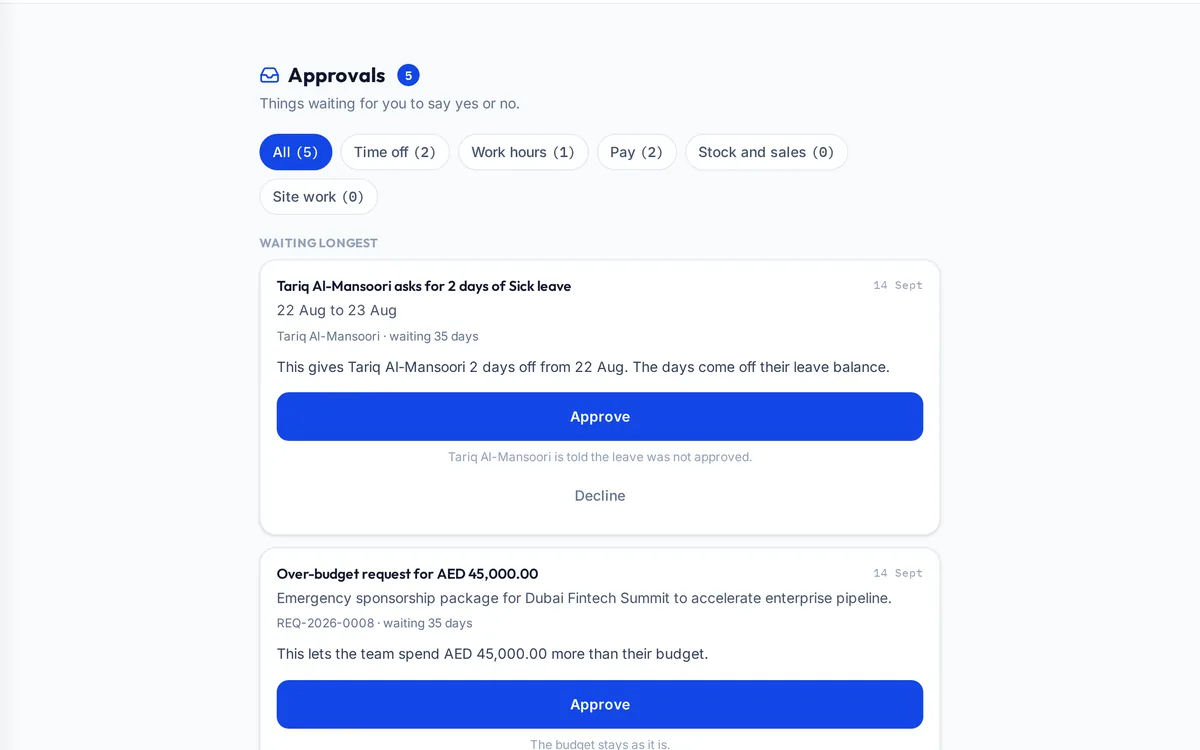
The approvals module gathers every request waiting for a person's decision into one list: leave, overtime, punch corrections, expense claims, material requests, credit notes, budget overrides and more. Each item says in plain words what approving will do, one tap approves or declines it, and the person who asked is told the result.
What it handles
| Feature | What it does |
|---|---|
| One inbox | Every kind of request in one list, oldest first |
| Plain effects | Each item says what approving will do |
| Money checks | Amounts are confirmed before a payment approval goes through |
| Filters | Time off, work hours, pay, stock and sales, site work |
| Permissions | Each person sees only what they are allowed to decide |
| Notifications | The requester is told the outcome |
How a typical month runs
A worker asks for three days of leave, a supervisor submits an overtime authorisation, an engineer raises a material request and an accountant records an expense claim. Each lands in the approvals list of the person allowed to decide it, oldest first, with a plain sentence saying what approving will do. The manager approves the leave and the overtime from their phone between site visits, declines the expense claim with a reason, and the people who asked are told. A second manager opening the same request later is told it has already been decided, so nothing is approved twice and nothing waits because the right person never saw it.
Rules it enforces
- A request can be decided once; a second tap is told it was already decided.
- Each kind of approval is gated by the permission it needs.
- Overtime reaches payroll only inside an approved authorisation.
Where it connects
Read the labour law guide and use the overtime calculator. It shares its records with the other areas: projects and tenders, supply and logistics, site stores, quality and handover, interim payments, payroll and wps, time and attendance, finance and vat, banking and budgets, assets and documents. See the construction ERP overview or book a demo.
Questions people ask
Who uses this part of SupaJack Construct?
Mostly managers and directors, each seeing only what their role allows. Managers also see its figures in the project and dashboard views, so nobody keeps a separate copy.
What does it replace?
Usually a spreadsheet or a separate tool kept beside the accounts. Because it shares records with the rest of SupaJack Construct, its figures and the ledger cannot drift apart.
Who sees an approval?
Only people whose role allows them to decide that kind of request.
Can I approve from my phone?
Yes; the list is built for small screens.
Is it a separate product?
No. It is part of SupaJack Construct and shares its records with every other area.
Does it work on a phone?
Yes, in any browser, with nothing to install.
Can access be limited by role?
Yes. Admins decide what each role can see and do.
How is it priced?
By quote, based on company size and the modules you use.