
Finance and VAT
The finance and VAT module is the contractor's books. Every invoice, bill, payroll run and expense posts to the general ledger as it happens, VAT returns come from the same records, foreign-currency purchases use rates stored by date, and a books-against-documents check shows anything posted without its paperwork or the other way round.
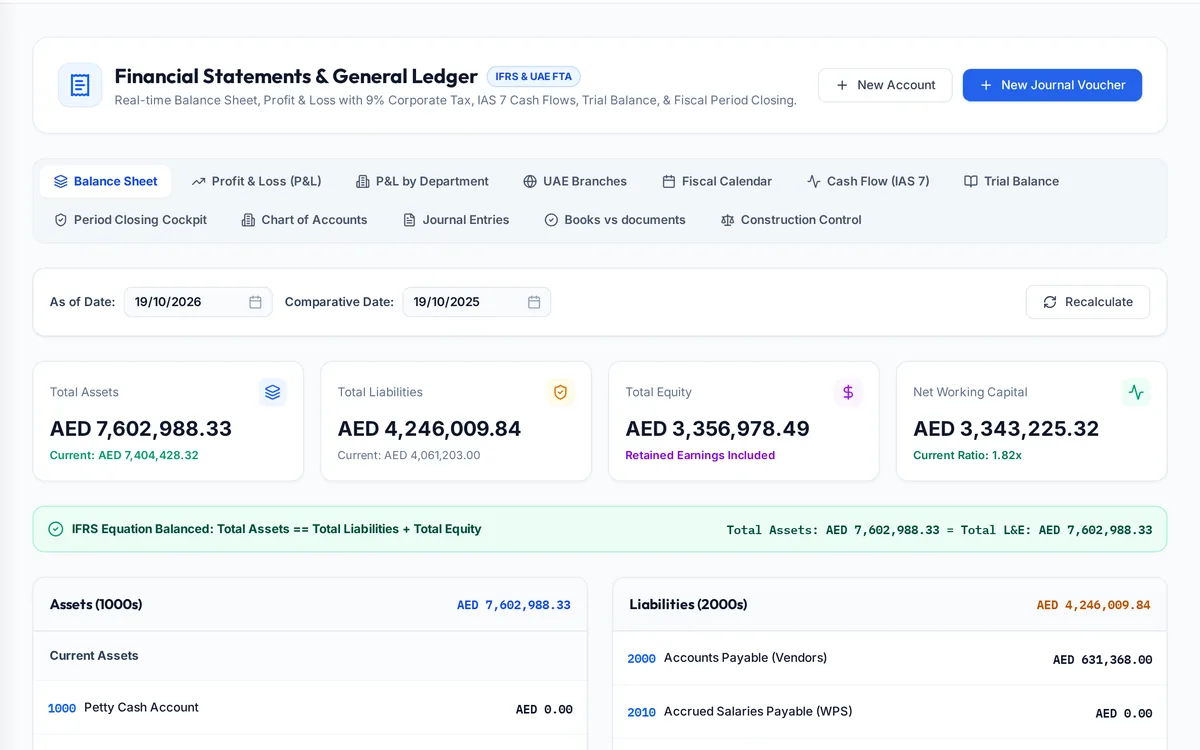
What it handles
| Feature | What it does |
|---|---|
| General ledger and journals | Every posting traceable to its source |
| Expenses and claims | Company expenses and employee claims with approval |
| VAT | 5% VAT, the VAT return and an audit file |
| Corporate tax | Corporate tax view from the same ledger |
| Currencies | Rates stored by date, revaluation and realised gains or losses |
| Books against documents | Invoices, bills and receipts compared with the ledger |
| Departmental results | Profit and loss by department and branch |
How a typical month runs
Invoices from certificates, supplier bills matched to receipts, payroll journals and approved expense claims all post to the ledger as they happen, so the accounts are current every day rather than rebuilt at month end. Foreign-currency bills are converted at the rate stored for their date, and open balances are revalued when needed. At the end of the VAT period the return is prepared from the same records that produced the invoices, and the books-against-documents check lists any invoice or bill without its posting, or posting without its document, before the return is filed or the auditors arrive.
Rules it enforces
- The trial balance must stay balanced; postings are made in pairs.
- Expense claims and ledger expenses need the right permission to approve.
- VAT on progress invoices follows the company's locked retention VAT setting.
Where it connects
Read the VAT guide for contractors and see construction accounting software. It shares its records with the other areas: projects and tenders, supply and logistics, site stores, quality and handover, interim payments, approvals, payroll and wps, time and attendance, banking and budgets, assets and documents. See the construction ERP overview or book a demo.
Questions people ask
Who uses this part of SupaJack Construct?
Mostly accountants and the finance manager, each seeing only what their role allows. Managers also see its figures in the project and dashboard views, so nobody keeps a separate copy.
What does it replace?
Usually a spreadsheet or a separate tool kept beside the accounts. Because it shares records with the rest of SupaJack Construct, its figures and the ledger cannot drift apart.
Does it produce the VAT return?
It supports the UAE VAT return from the same records that produced the invoices.
Can it handle other currencies?
Yes, with exchange rates stored by date.
Is it a separate product?
No. It is part of SupaJack Construct and shares its records with every other area.
Does it work on a phone?
Yes, in any browser, with nothing to install.
Can access be limited by role?
Yes. Admins decide what each role can see and do.
How is it priced?
By quote, based on company size and the modules you use.