
Payroll and WPS
The payroll and WPS module pays a construction workforce under UAE rules. Approved hours, unpaid leave and loan repayments flow into payslips, the run produces a WPS salary file after checking every worker's IBAN, person code and routing code, and the run posts to the ledger by cost centre and project.
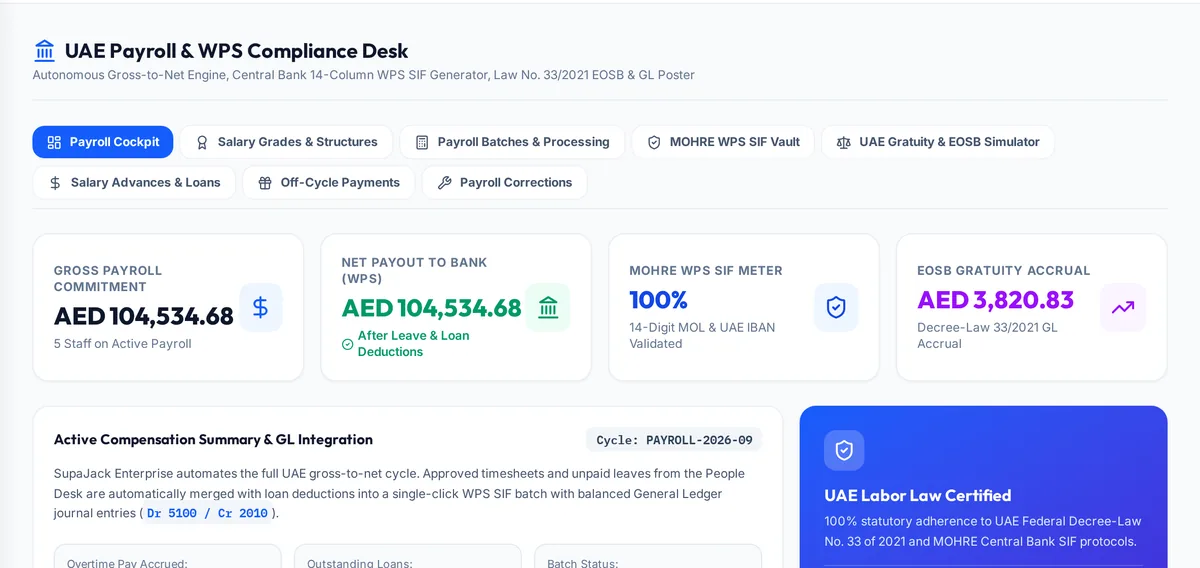
What it handles
| Feature | What it does |
|---|---|
| Salary grades and structures | Basic, allowances and components per grade |
| Payroll runs | Payslips from approved time, leave and loans |
| WPS salary file | Generated after checking every worker's banking details |
| Loans and advances | Repayment schedules recovered through payroll |
| Off-cycle payments | Bonuses and arrears paid outside the monthly run |
| Corrections | Deltas settled in a later run, never editing a paid one |
| Gratuity and settlement | Article 51 gratuity and final settlements |
How a typical month runs
During the month, approved timesheets, overtime authorisations, unpaid leave and loan repayments build up against each worker. At month end payroll runs the batch: payslips are calculated on salary grades and components, overtime is priced on the hourly basic rate, and the run is checked so every worker has a valid IBAN, person code and routing code. The approved run produces the WPS salary file for the bank and posts the payroll journal to the ledger by cost centre and project. If a mistake is found after payment, a correction is settled as arrears or a recovery in a later run, leaving the file already sent untouched.
Rules it enforces
- Overtime and gratuity are priced on basic salary.
- A paid run is never edited; corrections are settled as arrears or recoveries.
- The WPS header total always equals the employee lines, including off-cycle earnings.
Where it connects
Read the labour law guide and use the gratuity calculator and WPS file checker. It shares its records with the other areas: projects and tenders, supply and logistics, site stores, quality and handover, interim payments, approvals, time and attendance, finance and vat, banking and budgets, assets and documents. See the construction ERP overview or book a demo.
Questions people ask
Who uses this part of SupaJack Construct?
Mostly HR and payroll teams, each seeing only what their role allows. Managers also see its figures in the project and dashboard views, so nobody keeps a separate copy.
What does it replace?
Usually a spreadsheet or a separate tool kept beside the accounts. Because it shares records with the rest of SupaJack Construct, its figures and the ledger cannot drift apart.
Does it produce the WPS file?
Yes, from the approved run, after checking every worker's details.
How are payroll mistakes corrected?
As a correction settled in a later run, so the WPS file already sent is not touched.
Is it a separate product?
No. It is part of SupaJack Construct and shares its records with every other area.
Does it work on a phone?
Yes, in any browser, with nothing to install.
Can access be limited by role?
Yes. Admins decide what each role can see and do.
How is it priced?
By quote, based on company size and the modules you use.