
Assets and documents
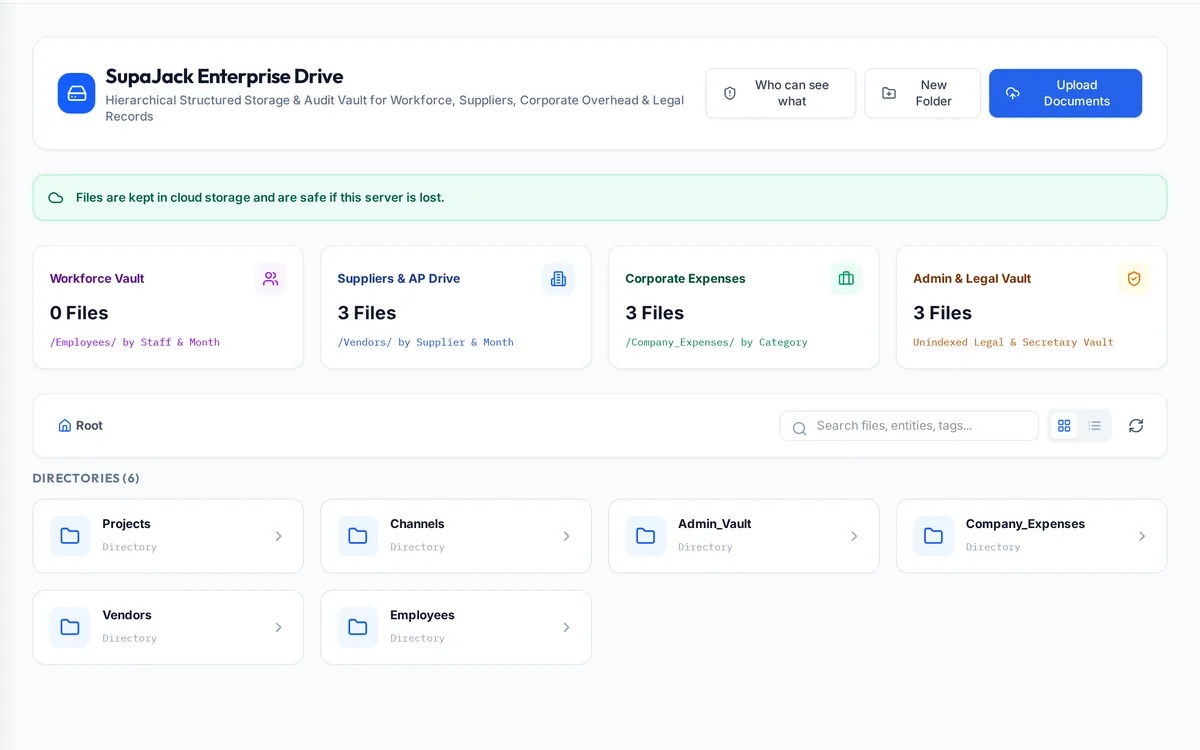
The assets and documents module keeps track of what the company owns and the files it depends on. Fixed assets are registered, depreciated and disposed of with a QR-based audit, and the company Drive stores documents by area, with admins deciding which departments can see, upload to or manage each area.
What it handles
| Feature | What it does |
|---|---|
| Asset register | Equipment and vehicles with categories |
| Depreciation | Schedules posted to the ledger |
| Disposals | Recorded with their gain or loss |
| QR audit | Scan assets to confirm what is where |
| Company Drive | Employee, supplier, expense, admin vault and correspondence areas |
| Access by department | None, view, upload or manage per area |
| Cloud storage | Files kept off any single server |
How a typical month runs
Plant, vehicles and equipment are added to the register with their category and cost, and depreciation is posted to the ledger on schedule. During an audit the team scans each asset's QR code to confirm it is where the register says, and disposals are recorded with their gain or loss. Documents go into the company Drive by area: employee files, supplier files, company expenses, the admin vault and correspondence. Admins choose which departments can view, upload to or manage each area, uploads are checked so a file's contents match its type, and the files are kept in cloud storage so they survive the loss of a server.
Rules it enforces
- A file in an area a department cannot see does not appear to them at all.
- Uploads are checked so a file's contents match its type.
- Deleting is limited to people with manage access.
Where it connects
Read the document control guide and see the security overview. It shares its records with the other areas: projects and tenders, supply and logistics, site stores, quality and handover, interim payments, approvals, payroll and wps, time and attendance, finance and vat, banking and budgets. See the construction ERP overview or book a demo.
Questions people ask
Who uses this part of SupaJack Construct?
Mostly admins and every department that keeps files, each seeing only what their role allows. Managers also see its figures in the project and dashboard views, so nobody keeps a separate copy.
What does it replace?
Usually a spreadsheet or a separate tool kept beside the accounts. Because it shares records with the rest of SupaJack Construct, its figures and the ledger cannot drift apart.
Who decides who sees which files?
Admins set access for each department and area.
Are files backed up?
Documents are kept in cloud storage, so they survive the loss of a server.
Is it a separate product?
No. It is part of SupaJack Construct and shares its records with every other area.
Does it work on a phone?
Yes, in any browser, with nothing to install.
Can access be limited by role?
Yes. Admins decide what each role can see and do.
How is it priced?
By quote, based on company size and the modules you use.