
Time and attendance
The time and attendance module records when people work and turns it into paid time. Workers clock in from their phone inside a geofence, punches become worked hours by shift, overtime is classified under UAE rules and paid only when authorised, and leave builds up as a ledger of entries.
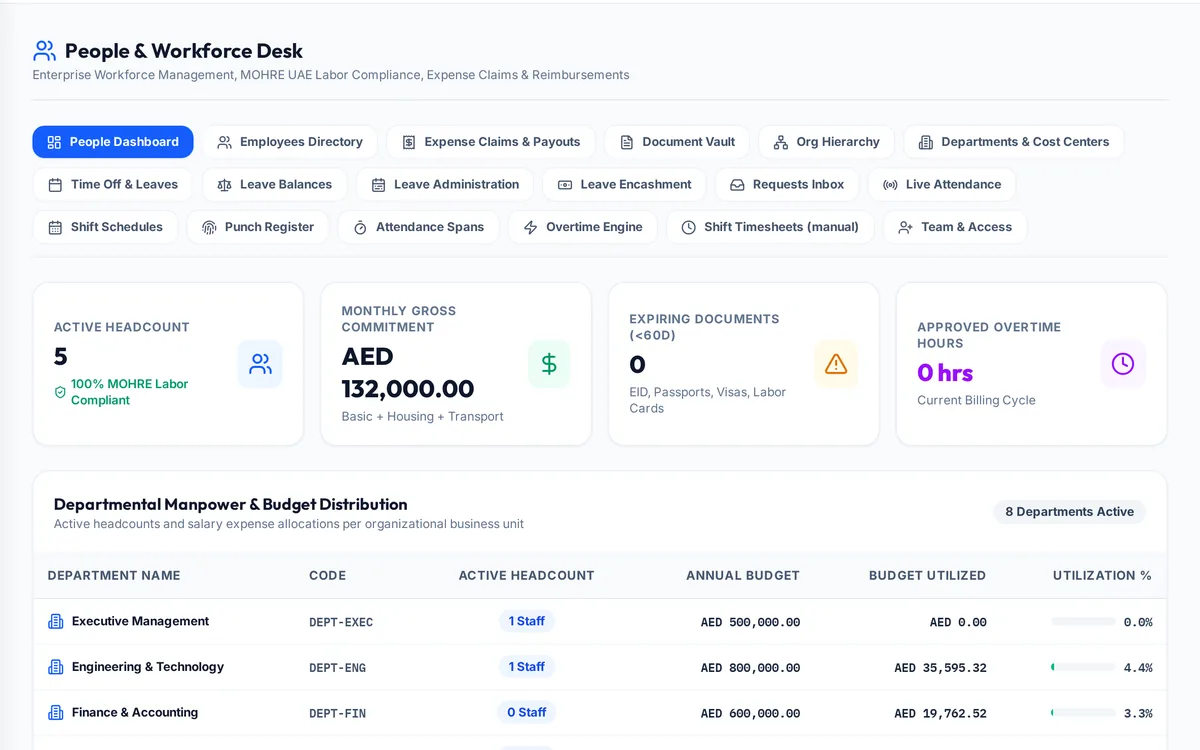
What it handles
| Feature | What it does |
|---|---|
| Clock in | From the phone, inside a site geofence |
| Shifts | Schedules and rotations |
| Live attendance | Who is on site now |
| Punch register | Every punch, with corrections approved |
| Overtime | Ordinary, night and rest-day classification and authorisations |
| Leave | Requests, balances and a ledger of entries |
| Timesheets | Hours by project and cost centre |
How a typical month runs
Each morning workers clock in from their phone, and the punch is accepted only inside the site's geofence. The live attendance board shows who is on site. Punches are paired into worked time against each person's shift, and time beyond normal hours is classified as ordinary, night or rest-day overtime. Overtime counts for pay only inside an authorisation a manager approved, so unapproved extra hours never reach payroll by accident. Leave requests are approved in the same place, and each accrual and day taken is written to the leave ledger, so every balance can be traced to the entries behind it.
Rules it enforces
- A worker cannot clock in twice without clocking out.
- Overtime is paid only inside a manager-approved authorisation.
- Leave balances are a sum of entries, never an overwritten number.
Where it connects
Read the labour law guide and use the overtime calculator and annual leave calculator. It shares its records with the other areas: projects and tenders, supply and logistics, site stores, quality and handover, interim payments, approvals, payroll and wps, finance and vat, banking and budgets, assets and documents. See the construction ERP overview or book a demo.
Questions people ask
Who uses this part of SupaJack Construct?
Mostly HR, supervisors and every worker who clocks in, each seeing only what their role allows. Managers also see its figures in the project and dashboard views, so nobody keeps a separate copy.
What does it replace?
Usually a spreadsheet or a separate tool kept beside the accounts. Because it shares records with the rest of SupaJack Construct, its figures and the ledger cannot drift apart.
Can workers clock in from site?
Yes, from their phone inside the site's geofence.
How is leave tracked?
As a ledger of accruals and days taken, so every balance can be traced.
Is it a separate product?
No. It is part of SupaJack Construct and shares its records with every other area.
Does it work on a phone?
Yes, in any browser, with nothing to install.
Can access be limited by role?
Yes. Admins decide what each role can see and do.
How is it priced?
By quote, based on company size and the modules you use.