
Site stores
The site stores module shows each project only the stock its own orders brought in, handles material requests from site, issues stock against delivery notes, and records what happened to material on site: installed, wasted or missing. Warehouses, transfers, adjustments and reorder alerts sit underneath it.
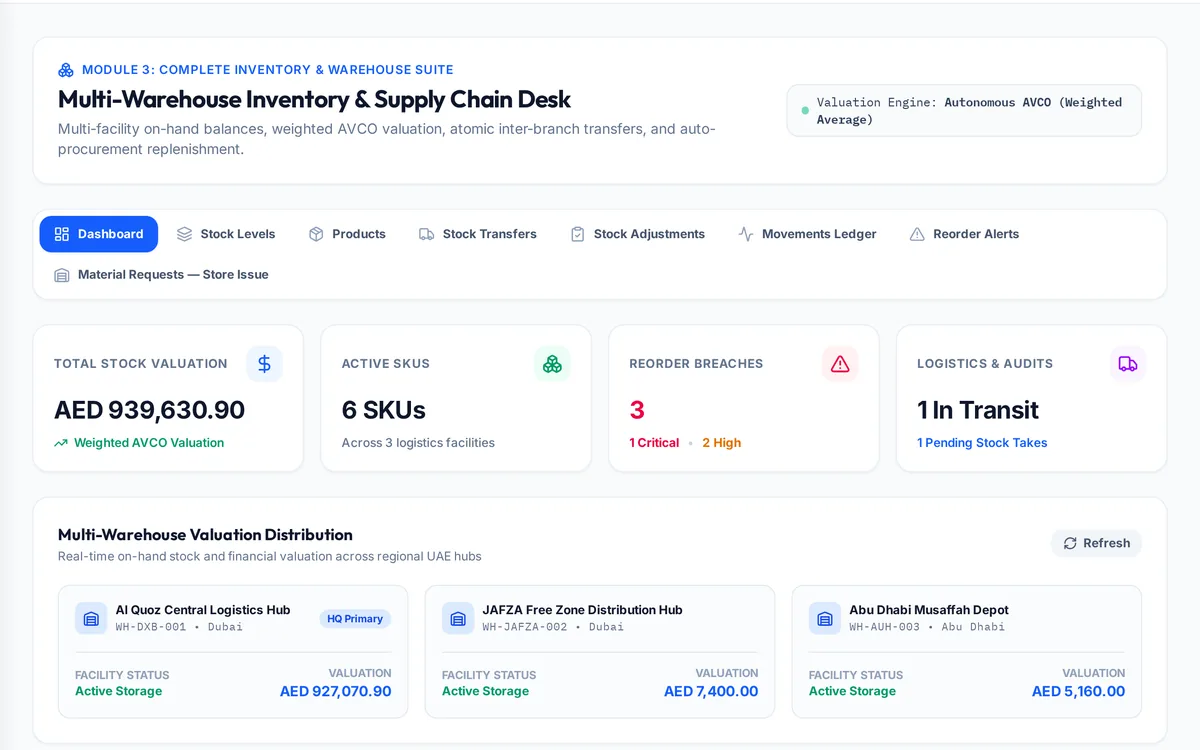
What it handles
| Feature | What it does |
|---|---|
| Stock by project | What each project's orders brought in and what remains |
| Material requests | Site requests accepted by commercial, approved by logistics |
| Delivery notes | Issues to site, with finance notified |
| Site usage | Installed, wasted or missing, recorded per item |
| Warehouses and transfers | Stock by location and moves between them |
| Adjustments | Corrections with a reason and approval |
| Reorder alerts | Items below their minimum |
How a typical month runs
Goods received for a project are allocated to it, so that project's team sees its own stock and nobody else's. When site needs material, the engineer raises a request; the commercial team accepts it and logistics approves it, in that order, and the store issues it against a delivery note, at which point finance is notified. On site, the team records how much was installed, how much was wasted and anything that went missing. At month end the difference between what was delivered and what was installed is visible per item, adjustments are made with a reason, and reorder alerts show what needs buying before it runs out.
Rules it enforces
- Logistics cannot approve a request that commercial has not accepted; the database refuses it.
- Project stock is a view over real warehouse stock, never a second copy.
- Site usage entries are append-only, so a figure can always be traced.
Where it connects
Read the procurement guide and the meaning of landed cost. It shares its records with the other areas: projects and tenders, supply and logistics, quality and handover, interim payments, approvals, payroll and wps, time and attendance, finance and vat, banking and budgets, assets and documents. See the construction ERP overview or book a demo.
Questions people ask
Who uses this part of SupaJack Construct?
Mostly storekeepers and site engineers, each seeing only what their role allows. Managers also see its figures in the project and dashboard views, so nobody keeps a separate copy.
What does it replace?
Usually a spreadsheet or a separate tool kept beside the accounts. Because it shares records with the rest of SupaJack Construct, its figures and the ledger cannot drift apart.
Can a project use another project's stock?
Each project sees the stock tied to its own orders; moving it is a recorded transfer.
Is wastage tracked?
Yes, per item, alongside what was installed or went missing.
Is it a separate product?
No. It is part of SupaJack Construct and shares its records with every other area.
Does it work on a phone?
Yes, in any browser, with nothing to install.
Can access be limited by role?
Yes. Admins decide what each role can see and do.
How is it priced?
By quote, based on company size and the modules you use.