
Supply and logistics
The supply and logistics module runs purchasing for each project: requisitions and purchase orders, shipment tracking through bill of lading and delivery order, goods received against the order, supplier bills and payments. Every purchase stays linked to the project that needs it, so cost and stock land in the right place.
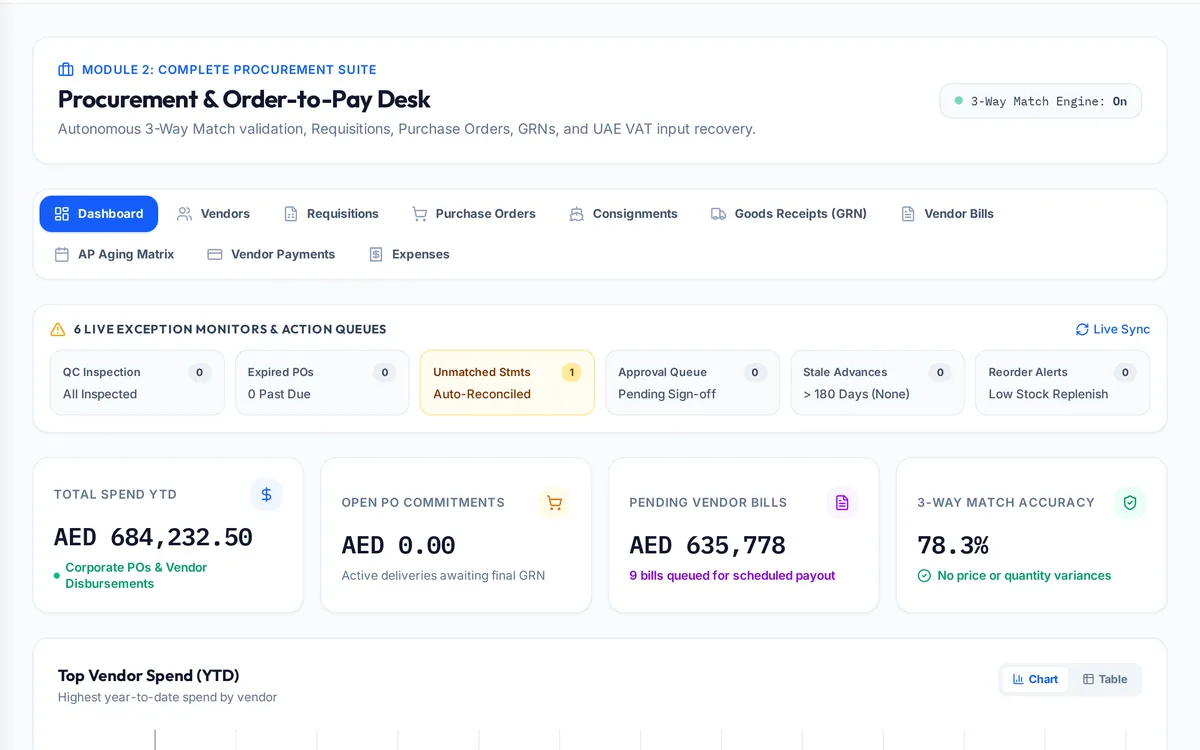
What it handles
| Feature | What it does |
|---|---|
| Requisitions | Requests for material before an order is placed |
| Purchase orders | Orders by project, with approval |
| Shipments | Tracking from manufacturer confirmation to delivery |
| Bill of lading and delivery order | Shipping documents tied to the order |
| Goods received | What arrived, checked against the order |
| Supplier bills and payments | Bills matched to orders and receipts, with AP ageing |
| Consignments | Stock held on consignment |
How a typical month runs
Site raises a requisition for material the job needs. Purchasing turns it into a purchase order against the project, the supplier confirms, and the shipment record follows it from manufacturer to port. When the bill of lading arrives the consignment is marked in transit, the delivery order releases it, and the store receives the goods against the order, the commercial invoice and the packing list. The supplier's bill is matched to what was ordered and received, and the payment is scheduled. At any point a project manager can see which of their orders are confirmed, at sea, at the port or received, and accounts payable ageing shows what is owed to whom.
Rules it enforces
- The goods receipt is built from the purchase order, commercial invoice, bill of lading and packing list.
- Receipt of the bill of lading sets the consignment to in transit.
- Shipping status lives on the shipment record, not as another status on the order.
Where it connects
Read the procurement guide and the meaning of bill of lading and goods received note. It shares its records with the other areas: projects and tenders, site stores, quality and handover, interim payments, approvals, payroll and wps, time and attendance, finance and vat, banking and budgets, assets and documents. See the construction ERP overview or book a demo.
Questions people ask
Who uses this part of SupaJack Construct?
Mostly purchasing and logistics teams, each seeing only what their role allows. Managers also see its figures in the project and dashboard views, so nobody keeps a separate copy.
What does it replace?
Usually a spreadsheet or a separate tool kept beside the accounts. Because it shares records with the rest of SupaJack Construct, its figures and the ledger cannot drift apart.
Can I track imports?
Yes, from manufacturer confirmation through bill of lading, delivery order and receipt.
Are supplier bills matched to orders?
Yes, against the purchase order and goods receipt.
Is it a separate product?
No. It is part of SupaJack Construct and shares its records with every other area.
Does it work on a phone?
Yes, in any browser, with nothing to install.
Can access be limited by role?
Yes. Admins decide what each role can see and do.
How is it priced?
By quote, based on company size and the modules you use.